Mailcockpit · For accountants and law firms

One project per client. Missing documents remind you by themselves.

Mailcockpit sorts the emails of your existing mailbox into clients and case files. Mark a request as “pending” – and you’ll know the moment the documents arrive. If nothing comes, the daily overview reminds you to follow up.

Join the waitlist with no obligation. We only write to you about the launch.

  • No change of email provider
  • Own login for every person
  • Cancel monthly
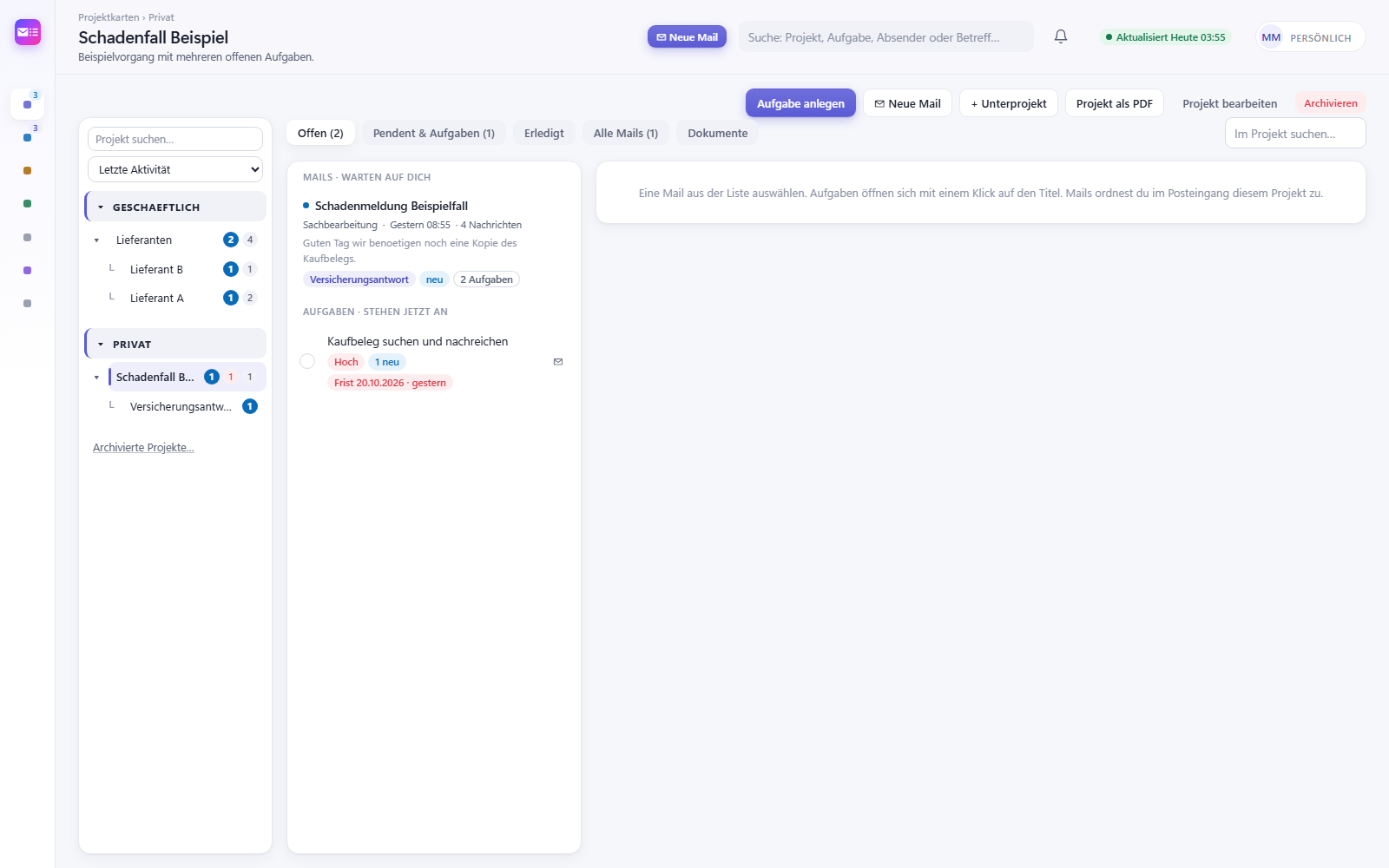
Project page with sub-projects, emails and open tasks

Sound familiar?

Your inbox is not a case file.

  • Requesting documents and waiting

    Salary statements, bank statements, receipts: requested in February, chased in March – and who has actually delivered?

  • Client emails everywhere

    A client writes to info@, to you and to your colleague. The emails for one case sit in three mailboxes.

  • Deadlines in your head

    Objection deadlines, closing dates, statements: whoever keeps track usually keeps it in their head.

How Mailcockpit helps

Organised like a case file – right in your mailbox

Not another practice management system, but your mailbox with structure. Runs alongside accounting and time tracking.

Client with a sub-project per party

Create a project for each client, with sub-projects per party or year if needed. Emails, tasks and deadlines of the case are then in one place.

  • Three levels: client, sub-project, conversation
  • Tasks with a fixed deadline stay visible, even when postponed
  • Case file of a project as a PDF
Project page with sub-projects, emails and open tasks

“Pending” with a notification

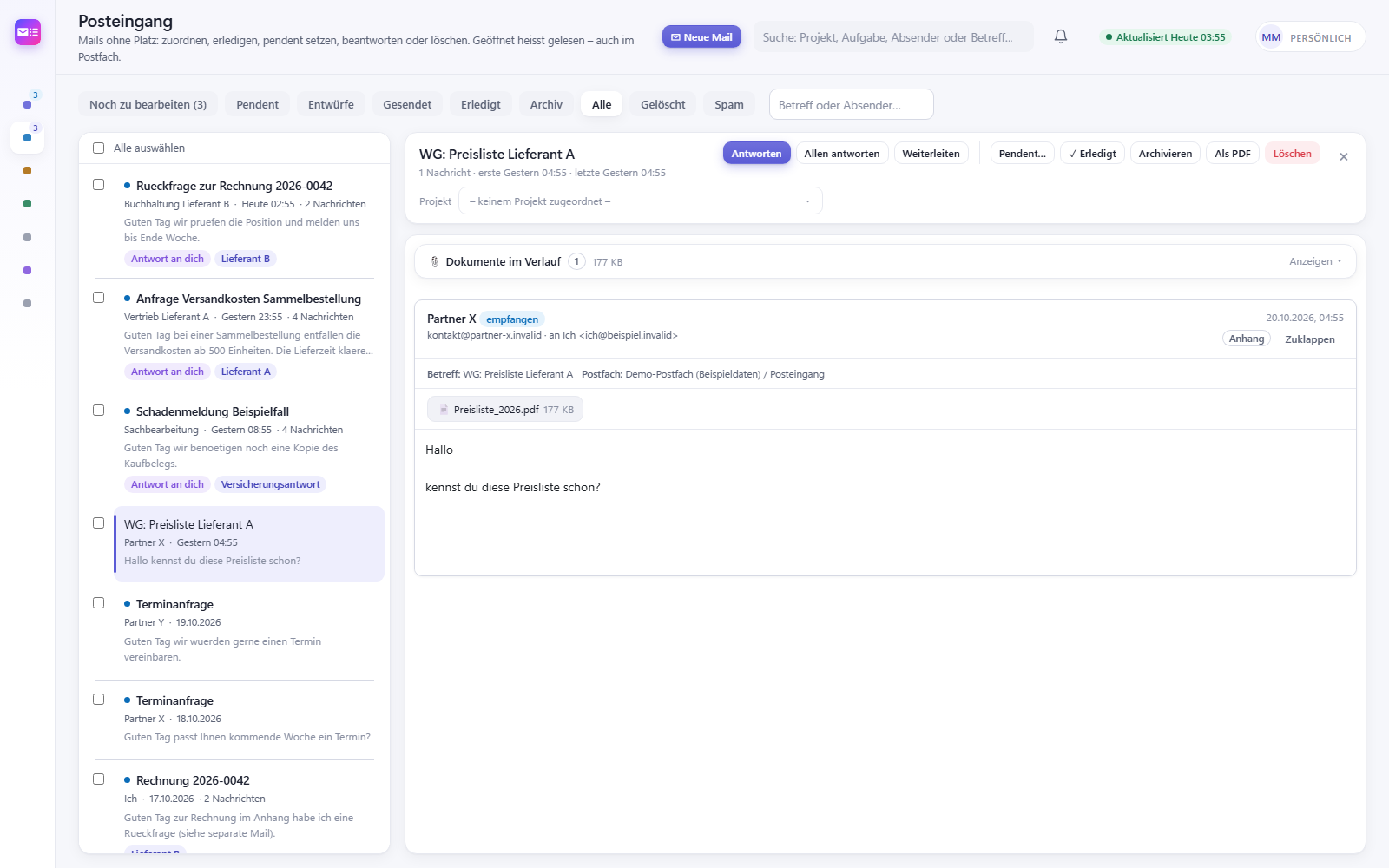
Requested documents? Mark the email as pending. When the reply comes in, Mailcockpit notifies you right away – on your computer and on your phone.

  • Reminder if nothing arrives by the date
  • Every morning: what’s due and what you’re waiting for
  • Works with Hostpoint, Bluewin, GMX, Infomaniak and any other IMAP mailbox
Inbox with pending emails and reminders

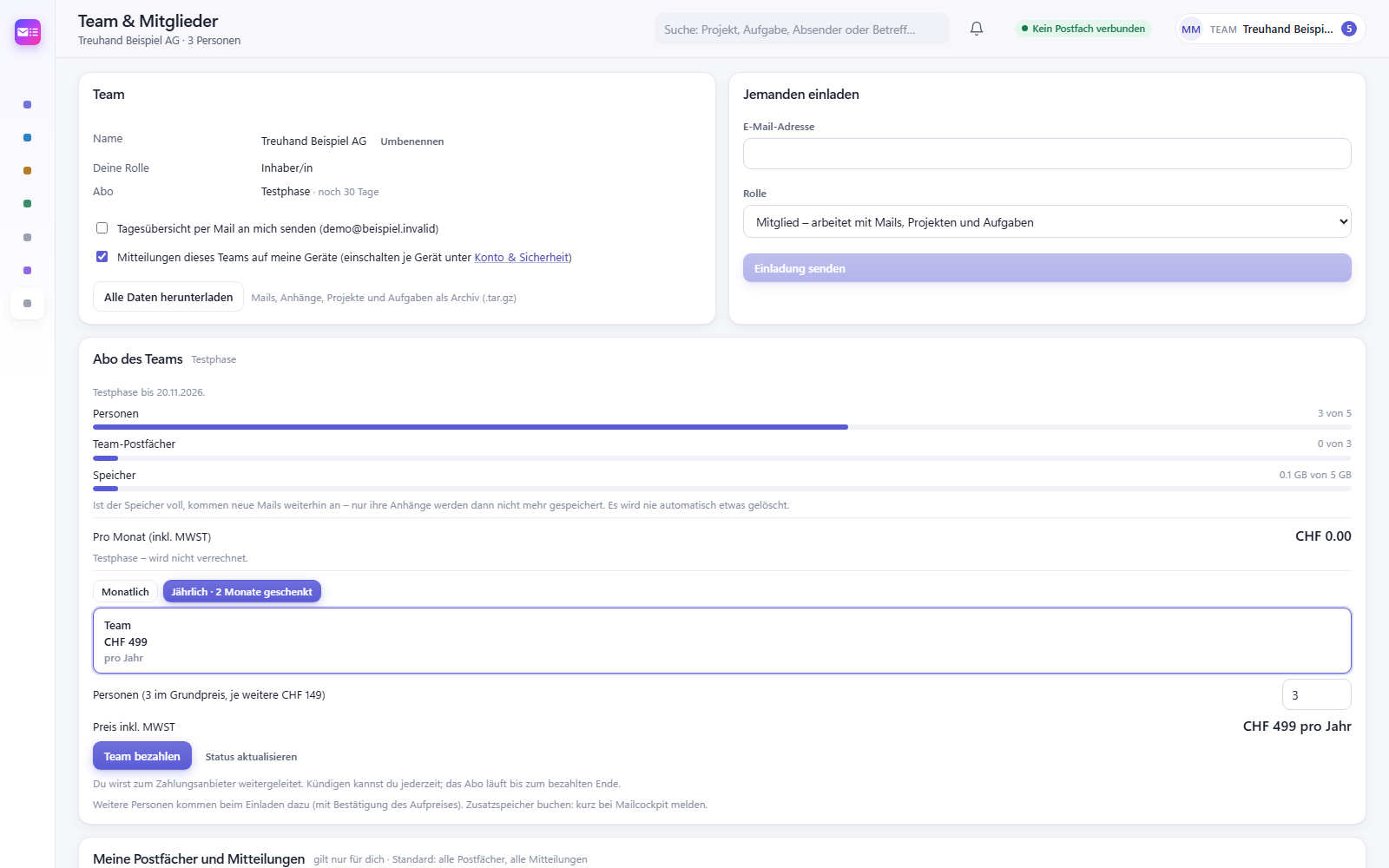
As a team without sharing passwords

Several people work in the same mailboxes and client projects – each with their own login. Nobody has to pass on mailbox passwords.

  • Reply lock against duplicate answers
  • Log: who did what and when
  • Permissions per mailbox
Conversation with reply lock and team activity log

Pricing

For the one-person office and for the team

Every feature in every plan. If you like, we set it up with you by video call.

Solo 3

For many mailboxes

CHF29.90/ month

or CHF 299 per year · 2 months free

  • 1 person
  • Mailboxes: unlimited
  • All features
  • Optional: 30-minute setup by video call¹
  • Cancel monthly¹
Early access for Solo 3

All prices in Swiss francs per month, including Swiss VAT.

¹ With setup by video call, a minimum term of 3 months applies, still billed monthly; after that you can cancel monthly. Without setup, cancel any time for the end of the month.

² For example your own company address. Your own Solo plan is added in full at its normal price – with Solo 1 you get 3 private mailboxes.

Trial: 10 days free, no credit card, every feature – up to 5 people, 3 mailboxes and 5 GB of storage. After that you can still read and export; to keep working you choose a plan.

AI features (optional, off by default): in every plan at most 150 classifications and 20 drafts per day and team.

Compare all plans →

Good to know

Does this replace our practice or accounting software?

No. Mailcockpit takes care of the emails: sorting, following up, deadlines. Accounting, time tracking and invoicing stay in your current software.

Where are the emails stored?

Your emails stay with your email provider. To keep overview, search and projects fast, Mailcockpit keeps a copy on servers in Switzerland. Mailcockpit is operated by Safkom GmbH. Details are in the privacy policy.

Does an AI read our emails?

No, not by default. The AI features are off and can only be switched on deliberately per mailbox. Everything on this page works without AI.

How quickly can we start?

Connecting a mailbox takes a few minutes; the setup assistant knows the settings of common providers. If you like, we set it up with you by video call.

Clients, deadlines and documents in one place.

Join the waitlist – we’ll get in touch at launch and set it up with you if you like.

Get early access